
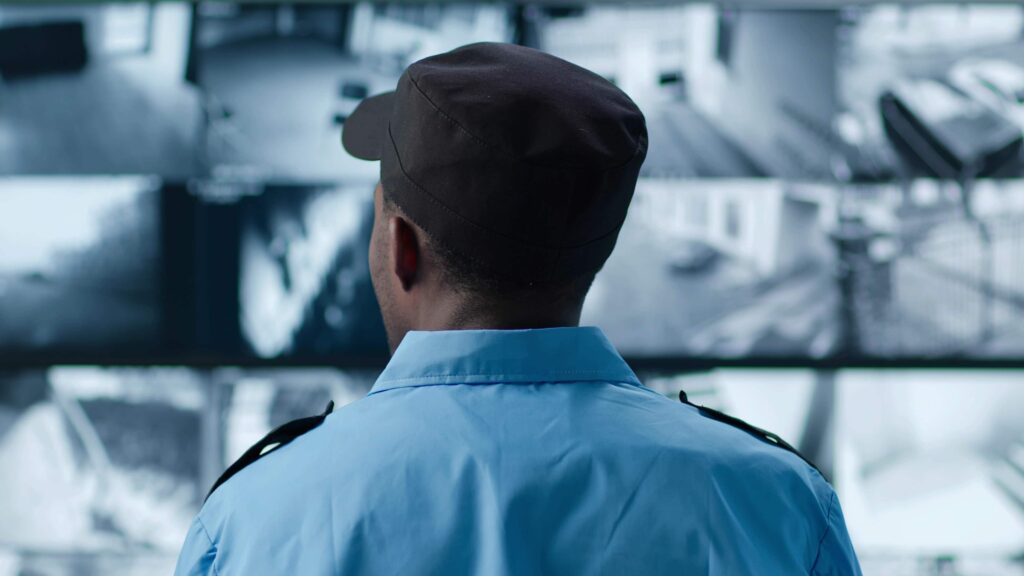
Remote security monitoring—also called remote guarding—combines AI-powered cameras with live operators who watch your property 24/7. When suspicious activity is detected, operators respond in real-time by issuing audio warnings, activating lights, and dispatching police if needed.
Unlike traditional security cameras that only record footage for later review, remote monitoring stops crimes in progress. And unlike standard alarm systems that trigger after a breach, remote guarding detects threats before damage occurs and provides verified video evidence to law enforcement.
This guide explains exactly how the process works from detection to resolution.
Quick Section Links
- What Remote Guarding Is (and What It Isn't)
- How Remote Guarding Works (Step-by-Step)
- How Does Remote Security Monitoring Work Without Power or Internet?
- How Does Remote Security Monitoring Work at Night?
- How Does Remote Security Monitoring Work With AI?
- Remote Monitoring vs Security Guards: Key Difference
- How Remote Monitoring Works Across Different Industries
- Common Questions About How Remote Security Monitoring Works
- Real-World Timeline: How Remote Security Monitoring Works
- Installing Remote Security Monitoring: What to Expect
What Remote Guarding Is (and What It Isn't)
Remote guarding is a proactive security service where off-site operators monitor your property using AI-enabled cameras. When the system detects unauthorized activity—like someone climbing your fence or tampering with equipment—operators immediately review the video feed and take action.
What Makes Remote Guarding Different:
Remote guarding provides real-time intervention, not just recording. Operators can issue live audio warnings through on-site speakers, activate floodlights and sirens, and dispatch police with verified video evidence—all while an incident is happening.
What Remote Guarding Is NOT:
- Not traditional CCTV: Standard security cameras only record footage. They don't stop crimes or alert anyone until you review the footage later.
- Not standard alarm monitoring: Burglar alarms trigger after someone has already broken in. Remote guarding detects suspicious activity before entry and prevents it.
- Not constant human surveillance: Operators don't watch screens all day. AI handles continuous monitoring and only alerts operators when suspicious activity is detected, making it far more efficient than guard-based patrols.
How Remote Guarding Works (Step-by-Step)
Remote guarding follows a five-step process designed to detect, verify, and stop security threats in real-time:
Step 1: AI Detection
AI-powered cameras continuously analyze video feeds looking for specific behaviors like unauthorized entry, loitering near equipment, fence climbing, or vehicle access after hours. When suspicious activity is detected, the system immediately triggers an alert.
Step 2: Operator Verification
Live operators receive the alert within seconds and review the video feed to determine if it's a genuine threat or a false alarm (like an animal, weather, or authorized personnel). This human verification step ensures police aren't dispatched for non-threats.
Step 3: Live Audio Warning
If the threat is verified, operators issue a live audio warning through powerful on-site speakers. The warning might say something like: "This is Valley Alarm monitoring. You are trespassing on private property. Leave immediately or police will be dispatched."
Most intruders leave immediately when they realize they're being watched and confronted in real-time.
Step 4: Police Dispatch (If Needed)
If the intruder doesn't leave after the audio warning, operators dispatch local law enforcement with:
- Verified video evidence of the incident
- Real-time location data showing exactly where the intruder is on your property
- A detailed description of the person, vehicle, or activity
- Confirmation that this is not a false alarm
Because operators provide video-verified information, police treat these calls as priority responses rather than standard alarm activations.
Step 5: Incident Documentation
After the incident is resolved, operators create a detailed report that includes:
- Timestamps showing exactly when activity was detected and when intervention occurred
- Video clips or screenshots of the incident
- Operator notes describing what happened and how it was handled
- Any police report numbers if law enforcement responded
Remote guarding is particularly effective for Los Angeles construction sites, auto dealerships, and cannabis facilities where theft and vandalism are common
This documentation is critical for insurance claims, internal investigations, or legal proceedings.
How Does Remote Security Monitoring Work Without Power or Internet?
Remote security monitoring can operate completely off-grid using solar power and cellular connectivity—no building power or internet required.
How Solar-Powered Systems Work:
Solar panels charge onboard batteries that power cameras, speakers, and communication equipment 24/7. Battery backup provides 3-5 days of operation without sunlight, ensuring continuous monitoring even during overcast weather or winter months.
How Cellular Connectivity Replaces Internet:
Instead of requiring WiFi or hardwired internet, remote monitoring systems use built-in cellular modems (similar to your phone's data connection). Video feeds, alerts, and operator commands transmit through 4G/5G networks—working anywhere with cell service.
This makes remote monitoring ideal for:
- Construction sites before utilities are connected
- Vacant properties without active power service
- Remote locations miles from the nearest internet connection
- Temporary security needs (events, seasonal sites, short-term projects)
ValleyGuard Deployment Options:
Permanent Installs (for established facilities with utilities)
- Hardwired to building's power and network for most stable connection
- Best for office buildings, retail centers, and operating facilities
Mobile Security Trailers (for sites without utilities)
- Fully wireless: solar + battery + cellular in one portable unit
- Deploy in under 2 hours anywhere with cell service
- Perfect for construction sites, vacant lots, and temporary needs
Learn more: Mobile Security Trailers Los Angeles
How Does Remote Security Monitoring Work at Night?
Understanding how remote security monitoring works in low-light conditions is critical since most crimes occur after dark.
ValleyGuard uses night color cameras that provide full-color footage—not grainy black-and-white infrared.
How night color cameras work:
- Use ambient light (streetlights, building lights, moonlight)
- Advanced sensors amplify available light
- Deliver full-color images in near-darkness
- Much clearer than traditional IR cameras
Why this matters:
- Easier to identify suspects and vehicles
- Can read license plates in darkness
- Better evidence for police
- More accurate threat assessment
Real comparison:
- Traditional IR camera: Grainy black-and-white, limited detail
- Night color camera: Full color, clear facial features, readable text
How Does Remote Security Monitoring Work With AI?
AI is central to understanding how remote security monitoring works effectively.
What AI Does:
1. Reduces False Alarms
The AI learns what's normal for your property:
- Delivery trucks arriving at 6 AM
- Employees parking in specific areas
- Weather patterns causing shadows
- Wildlife moving through the area
Over 2-4 weeks, false alarms drop by 80-90% as the system learns. According to the Security Industry Association, AI-powered video analytics have reduced false alarm rates by up to 95% compared to traditional motion sensors.
2. Detects Unusual Behavior
The AI recognizes suspicious patterns:
- Loitering near equipment
- Repeatedly checking doors or windows
- Vehicles circling the property
- Movement in areas that should be empty
3. Prioritizes Threats
Not all motion is equal. The AI ranks alerts by threat level:
- Critical: Person climbing fence at 2 AM
- High: Vehicle in restricted area after hours
- Medium: Person walking through parking lot
- Low: Animal or weather-related motion
This allows agents to focus on real threats immediately.
Remote Monitoring vs Security Guards: Key Difference
Remote monitoring and security guards serve different purposes. Guards provide physical presence and can interact with people on-site, but they're limited by patrol routes and can only be in one place at a time. Remote monitoring covers your entire property simultaneously through cameras, detecting threats instantly across all areas—but there's no physical presence.
For a detailed comparison of coverage, response times, and when each approach works best, see: ValleyGuard vs Live Security Guards
How Remote Monitoring Works Across Different Industries
Remote security monitoring follows the same five-step process for every site, but the specific threats and monitoring priorities vary by industry:
Construction Sites
Remote monitoring for construction sites focuses on high-value theft prevention: detecting copper thieves before they cut wiring, stopping equipment theft (tools, generators, materials), monitoring perimeter security around active jobsites, and verifying contractor access during off-hours.
Learn more: Construction Site Remote Video Surveillance
Auto Dealerships
Dealership monitoring targets lot thefts and catalytic converter thieves, provides 24/7 vehicle inventory monitoring, protects service bays and parts departments from after-hours break-ins, and verifies authorized personnel access.
Learn more: Automotive Dealership Live Video Monitoring
Cannabis Facilities
Cannabis monitoring ensures compliance with state surveillance requirements, prevents internal and external theft, monitors restricted areas continuously, and documents all access attempts for regulatory audits.
Learn more: Cannabis Remote Video Monitoring
Office Buildings
Office building monitoring covers parking lots and loading docks, controls after-hours building access, verifies cleaning crews and maintenance personnel, and detects unauthorized encampments forming on the property.
Learn more: Office Building Remote Surveillance
Common Questions About How Remote Security Monitoring Works
Do Operators Watch Cameras 24/7?
No. AI systems handle continuous monitoring and only alert operators when suspicious activity is detected. Operators then immediately review the specific camera feed showing the threat. This is far more efficient than having someone stare at screens all day, and it eliminates fatigue-related missed incidents.
What Triggers an Alert?
Alerts are triggered by AI detection of specific behaviors like unauthorized entry, loitering in restricted areas, fence climbing, vehicle access after hours, or tampering with equipment. The AI learns your site's normal patterns over time, which helps reduce false alarms from routine activity like delivery trucks or maintenance crews.
The AI detection works on vacant properties, construction sites, and other locations where monitoring needs vary by time of day.
What Counts as a "Verified" Event?
A verified event is one where a live operator reviews the video feed and confirms it's a genuine security threat—not an animal, weather, or authorized personnel. Only verified events result in audio warnings or police dispatch, which is why remote monitoring has significantly fewer false alarms than traditional alarm systems.
Can Operators Talk to Intruders Through Cameras?
Yes. Operators issue live audio warnings through powerful speakers installed at your site. The warning is personalized to the specific situation—for example, telling someone they're trespassing on a construction site or dealership lot. This real-time confrontation stops most intrusions immediately without requiring police involvement.
What Happens If Someone Doesn't Leave After a Warning?
If an intruder ignores the audio warning and continues trespassing or attempting to steal equipment, operators immediately dispatch local police. The operator provides law enforcement with verified video evidence, the intruder's exact location on your property, and a description of the person or vehicle—ensuring a priority police response.
Do You Contact Police Directly?
Yes. Remote monitoring operators contact police dispatch directly when threats are verified and intruders don't respond to audio warnings. Because operators provide video verification and real-time updates, police treat these calls as confirmed incidents rather than standard alarm activations, which often results in faster response times.
What Do I Receive After an Incident?
You receive a complete incident report that includes timestamps, video clips or screenshots, operator notes, and any police report numbers. This documentation is sent to you via email typically within hours of the incident and serves as evidence for insurance claims, internal investigations, or legal proceedings if needed.
How Does This Work After Business Hours?
Remote monitoring operates 24/7 with no difference in service between business hours and after hours. In fact, most security incidents occur overnight, on weekends, or during holidays when sites are unoccupied—which is exactly when remote monitoring provides the most value compared to guards who may not be scheduled.
Can the System Reduce False Alarms Over Time?
Yes. AI systems learn your site's normal patterns—like when deliveries typically arrive, where employees park, or when maintenance crews work. Over time, the system becomes better at distinguishing between routine activity and genuine threats, which reduces false alerts while maintaining high detection accuracy for actual security incidents.
How Is This Different From a Traditional Alarm System?
Traditional alarm systems trigger after someone has already broken in—they react to breaches. Remote monitoring detects suspicious activity before entry and prevents crimes through live intervention. You get proactive deterrence with audio warnings and operator response, not just after-the-fact notification that something happened.
Real-World Timeline: How Remote Security Monitoring Works
Here's a real incident timeline showing how remote security monitoring works second-by-second:
East Hollywood Property – September 15, 2025
- 3:11:00 AM – AI detects persons climbing rear fence
- 3:11:06 AM – Alert reaches agent's screen (6 seconds)
- 3:11:18 AM – Agent verifies threat and activates speakers (12 seconds)
- 3:11:23 AM – Voice challenge issued: "You are trespassing..." (5 seconds)
- 3:11:45 AM – Suspects begins retreating (22 seconds after challenge)
- 3:12:30 AM – Suspects flee property completely (90 seconds total)
- Next Day – Property owner receives incident report
Total time from detection to suspect fleeing: 90 seconds
Damage: $0
Loss: $0
Read the complete case study →
This is exactly how remote security monitoring works in practice.
Installing Remote Security Monitoring: What to Expect
Understanding how remote security monitoring works includes knowing the installation process:
Step 1: Free Security Assessment (30 mins)
A Valley Alarm specialist:
- Walks your property identifying vulnerable areas
- Recommends camera placement for optimal coverage
- Discusses permanent vs. mobile options
- Provides accurate pricing
Step 2: Custom System Design (1-2 days)
We create a plan specifically for your property:
- Camera types and quantities
- Coverage zones and blind spot elimination
- Monitoring schedules and protocols
- Integration with existing systems
Step 3: Professional Installation (1-3 days)
- Permanent systems: 1-3 days depending on property size
- Mobile trailers: Under 2 hours deployment
- Minimal business disruption
- Full testing and verification
Step 4: AI Training Period (48 hrs)
The system learns your property:
- Normal activity patterns
- Employee and delivery schedules
- Lighting changes throughout day/night
- Seasonal variations
Step 5: Go Live
- 24/7 monitoring begins
- Agents briefed on your protocols
- You receive access to live feeds
- Incident reports start immediately
Average timeline: 1-2 weeks from consultation to full operation.
See How Remote Security Monitoring Works in Action
Now you understand how remote security monitoring works. See it yourself.
Watch a Live Intervention Video | Request a Free Consultation
Call 800-550-2527 to speak with a security expert.
Related Resources

- Securing Remote Cannabis Grows in Southern California - February 27, 2026
- Your Biggest Cannabis Security Threat Isn’t the Guy with the Ski Mask - February 27, 2026
- Why LA Dispensaries Keep Getting Robbed — And What Actually Stops It - February 27, 2026